SYSTEM BUILD · AI + GO-TO-MARKET
AI Go-to-Market System
I built an AI go-to-market system for a nine-figure brand. AI and API usage runs under $50 a month. The system researches accounts, checks relationships, prepares outreach in each rep’s voice and learns from what happens next.
Jeff Brokaw · Chief AI and Marketing Officer · November 5, 2026
In a niche market, a bad cold email can land with someone your sales team already knows. The contact may have moved on. Another rep may be working the account. Someone may have asked not to be contacted again.
The company needed a way to find the right people and give its reps a reason to reach out without dumping another pile of unvetted names into HubSpot. I designed and built the system around that job, from account discovery and research through draft review, response tracking and the CRM handoff.
The client’s identity and industry are withheld. The public demo uses fictional people, accounts and campaign figures.
Find accounts worth a closer look
The work starts outside the CRM. A separate prospect directory holds discovered companies and contacts while the system checks who they are, where the information came from and whether the sales team already has a relationship.
The system finds lookalike accounts and researches companies using Context.dev and other sources. It gathers current news, press releases, new hires and other signals that can give a rep a reason to start a conversation. Sources and dates stay with the research so a rep can check the context.
A new hire or an announcement is a lead for research, not proof that the company is ready to buy. The rep gets the evidence and decides whether the connection makes sense.
Check the person and the relationship
Before a draft moves forward, the system checks account history and ownership, including existing relationships and deal history. It looks for conflicting identity evidence, suppression flags and other reasons to hold the record or coordinate with the account owner.
Moltsets enriches contact information. Bouncer checks email deliverability. Those checks answer different questions: an address can be valid even when the person has changed jobs or the account is already being worked. I explain that distinction in AI lead qualification.
The dashboard shows the reason a record stopped. The team can inspect an employer mismatch, a stale verification or a do-not-contact flag before anyone sends a message.
Give every rep their own voice
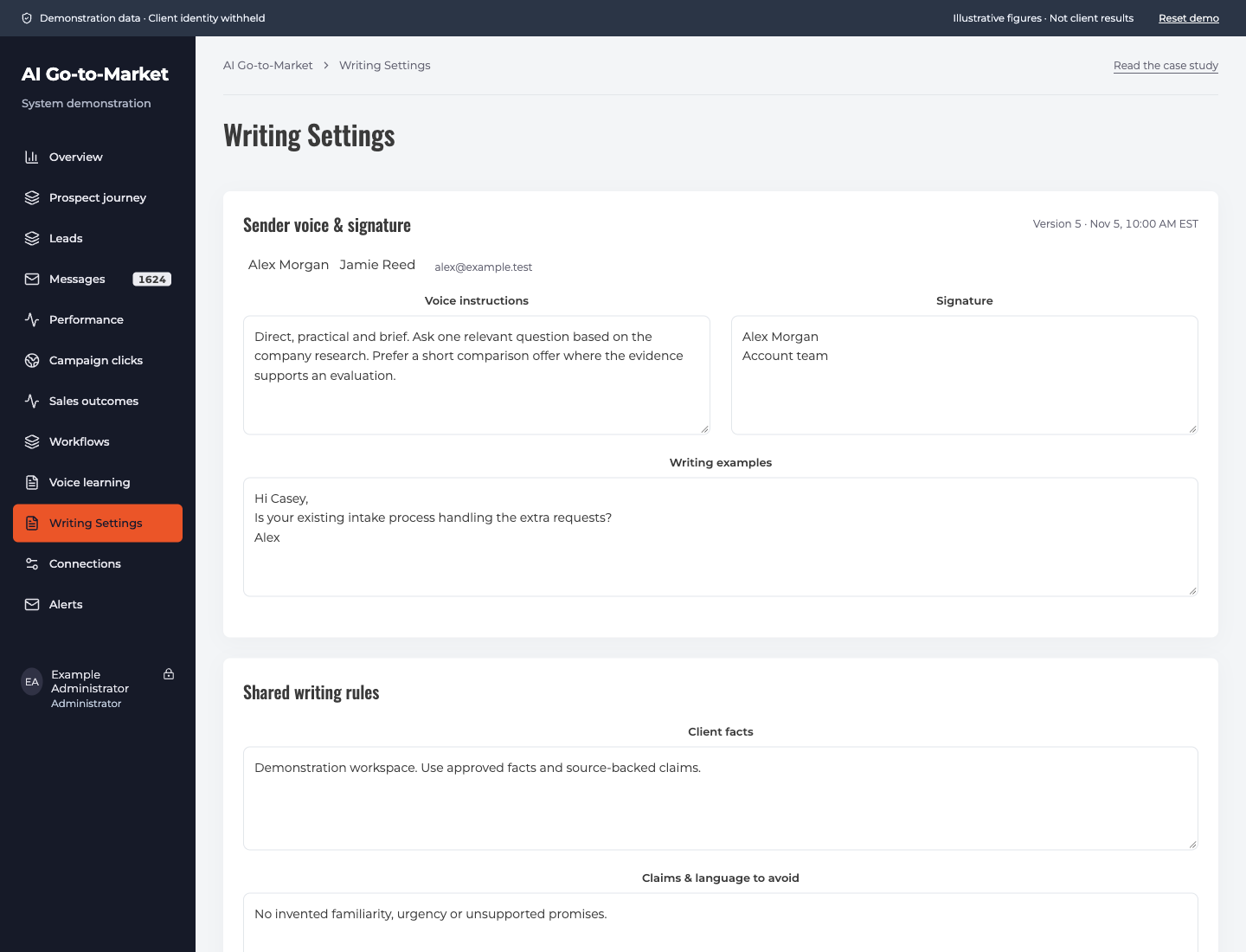
I used each salesperson’s writing examples, saved voice settings, approved capabilities and exact signature to guide Claude’s drafts. A separate quality check reviews the prepared copy. The research supplies the context; the sender’s settings shape how that person would say it.
The system compares the prepared draft with what the rep actually sends. As enough consistent examples accumulate, those edits help guide future wording in that salesperson’s voice. Replies and campaign activity provide feedback on subjects, messages, audiences and calls to action. The rep edits the draft itself; there is no separate form to fill out.
The public demo lets you compare a draft with a rep’s edit and carry a change into the example settings. Its content is fictional; it does not use client correspondence.
The rep sends. The system handles what follows.
Prepared messages go to the rep’s designated shared Outlook mailbox as drafts, complete with the right signature. The salesperson can change the subject, opening, question or wording before pressing Send. A draft with a bad fact or a poor fit can stay unsent while the instructions are corrected. The system does not send the prospect email on the rep’s behalf.
At rollout, the first batch was processing. The weekday schedule was set to prepare 30 drafts per salesperson before the workday. Reps can work entirely from Outlook; they do not need the dashboard to review and send.
Each draft has a prospect-specific tracking reference. The monitoring process is set to check the designated outreach mailboxes’ Sent Items and Inbox every five minutes, match activity to the campaign and classify responses. It does not monitor the reps’ unrelated mailboxes. An automatic reply, an opt-out and an interested buyer need different handling; an opt-out stops further outreach.
HubSpot is checked for existing relationships before outreach. A genuine interested reply is the gate for creating or enriching the associated contact and company records. Discovery alone does not create a new contact, and an open or click is not treated as buyer interest. The salesperson handles the reply.
A dashboard for the whole operation
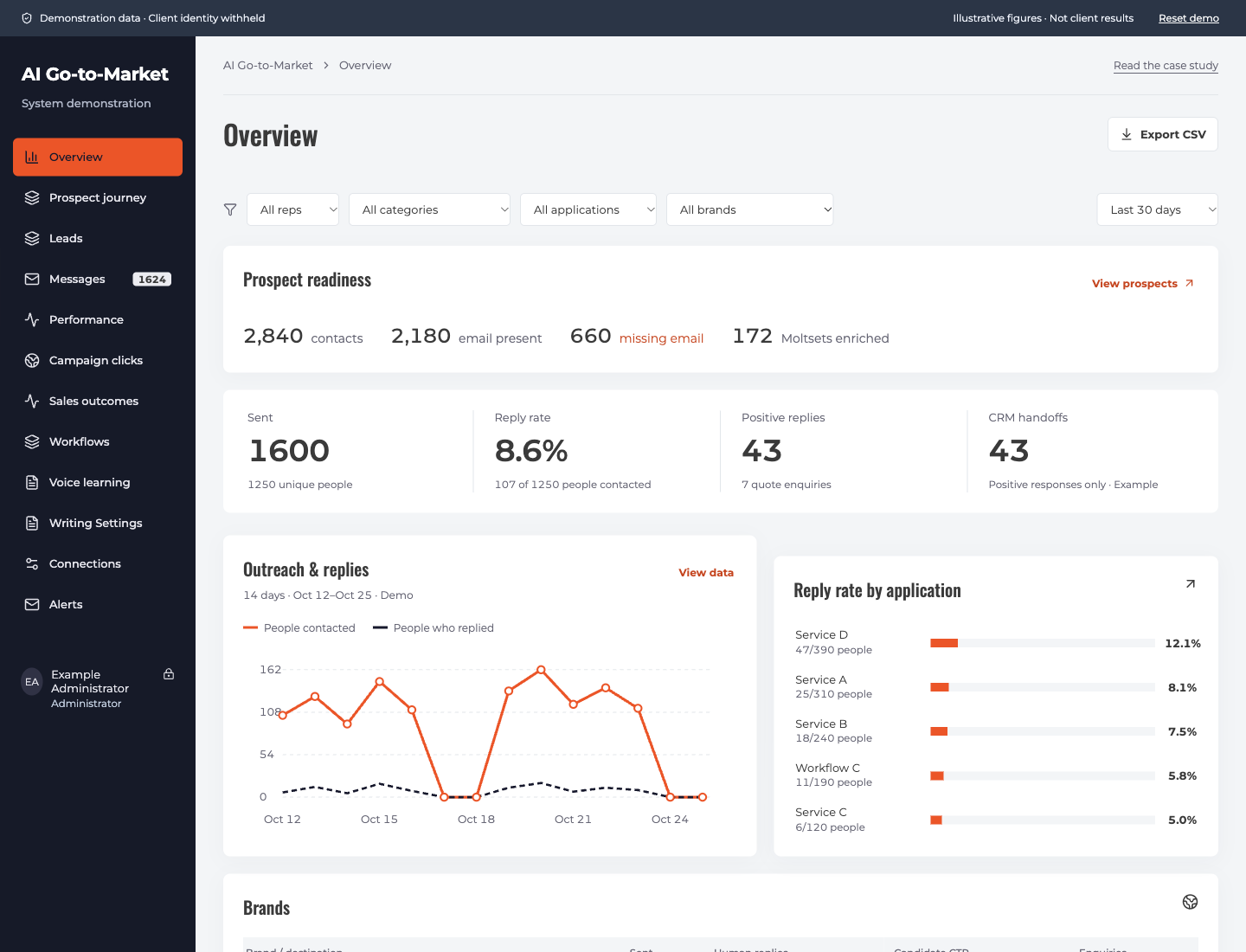
I built the dashboard to show where work stands: prospects under review, identity and verification holds, prepared drafts, actual sends, replies and CRM handoffs. A rep can open a record and see its source, ownership and the reason it passed or stopped.
That matters when something stalls. If drafts are waiting for human review, buying more prospect data will not clear the queue. If identity evidence conflicts, rewriting the subject line will not fix the contact.
The dashboard in the interactive demo uses fictional data. Its activity and reply figures are examples, not the client’s results.
What I built underneath
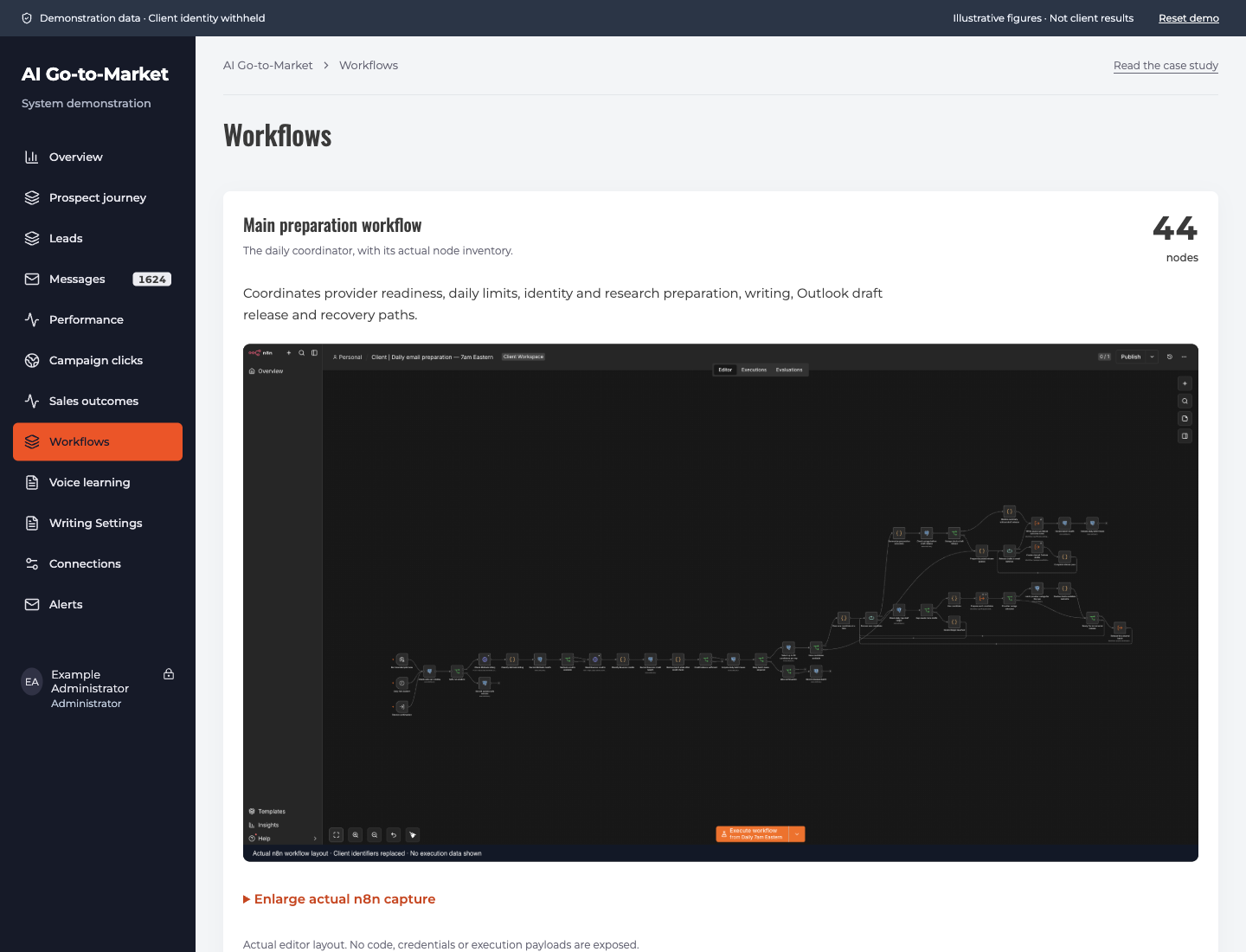
n8n coordinates the work across Agent Jesse, Moltsets, Bouncer, Context.dev, Claude, Microsoft 365/Outlook, HubSpot and GA4. Firebase supports hosting and authentication; PostgreSQL stores application data. Provider checks, stop controls and bounded retries are part of the build, including reconciliation when a request’s outcome is uncertain.
The November 5, 2026 inventory contained 106 workflow definitions and 1,132 node instances. That count includes tests, setup checks and older versions. The main daily coordinator contains 44 nodes. In the demo, you can inspect the workflow library and the anonymized coordinator.
AI and API usage runs under $50 per month, according to my operating figures. That figure covers AI and API usage; it does not represent a fully loaded cost including hosting, other subscriptions or labor. For this brand, I consider the system more capable for its needs than tools costing $50,000 or more a year. My build-versus-buy guide explains how I weigh that decision.
Explore the system
Explore the interactive demo ↗
Discuss a go-to-market system for your team.
Questions about the system
What does the AI go-to-market system automate?
It coordinates prospect discovery, enrichment, email verification, company research, rep-specific draft preparation, campaign tracking and response handling. A salesperson reviews and manually sends each prospect message.
When does a prospect enter HubSpot?
The system checks existing account relationships before outreach, but new sales CRM entry is gated by a positive response. Discovery, a click or an automatic reply does not qualify a prospect for that handoff.
How does it learn the salesperson’s voice?
Individual examples and saved voice settings guide drafting. Salesperson edits and positive-response data feed improvements to wording and calls to action, with the audience and message version kept alongside the change.
Are the demonstration results from a client?
No. Public dashboard records and campaign figures are fictional. Workflow inventory counts describe an anonymized build snapshot; they are separate from the synthetic campaign data.